

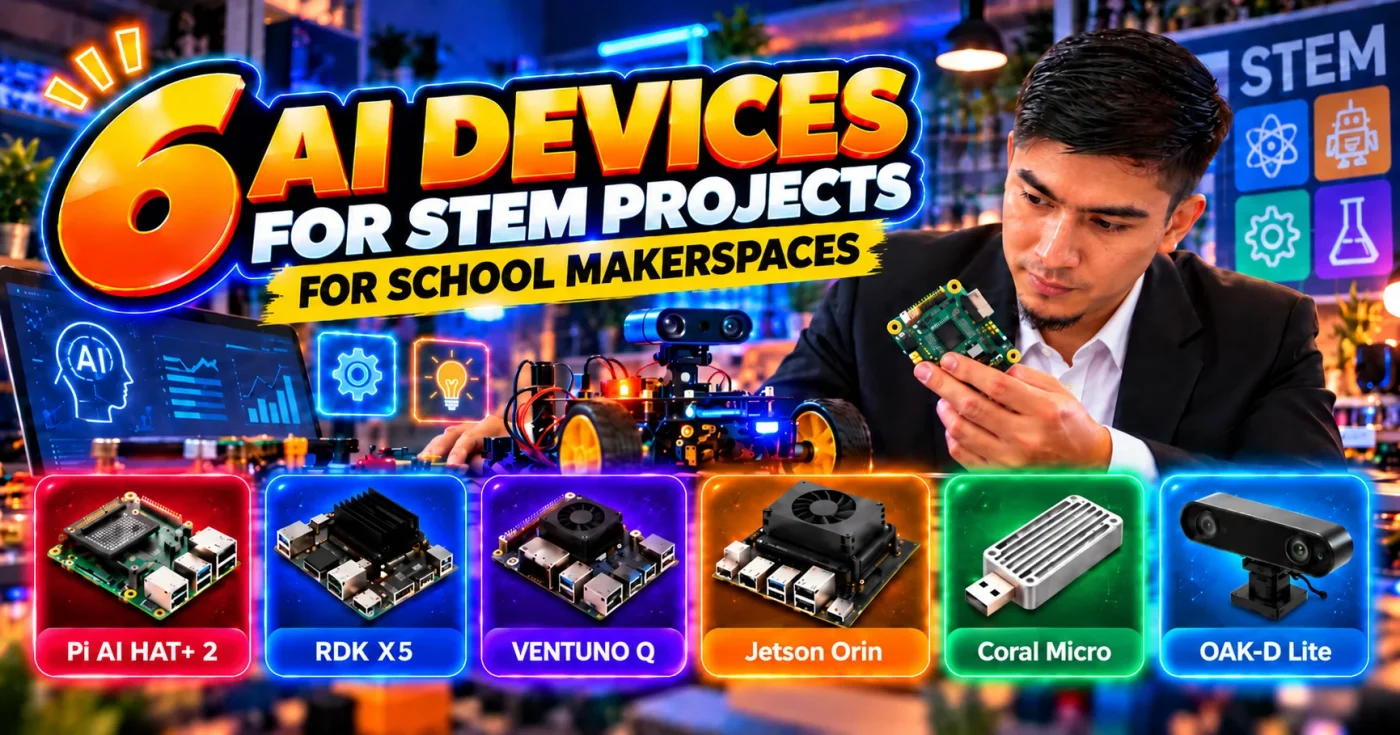
If you’re planning to help students build a robot that recognises objects, a smart monitoring system or an AI application that works without an internet connection, which hardware should you choose?
For years, school electronics projects have relied on Arduino boards, sensors and conventional microcontrollers. Today, Edge AI allows certain artificial intelligence tasks to run directly on physical devices.
Instead of simply using AI applications, students can start building AI-powered systems themselves.
But are all AI devices suitable for a school makerspace?
In an EDUCOGATOR article I wrote in March 2026, I introduced six AI hardware options for education. This time, I’m revisiting those devices with a closer look at their specifications, classroom applications and the practical considerations schools should make before purchasing them.
Here are six devices worth exploring.
1. Raspberry Pi AI HAT+ 2 — For Local Generative AI
Raspberry Pi has long been an interesting platform for programming, electronics and automation projects.
With the Raspberry Pi AI HAT+ 2, its capabilities extend into on-device generative AI.
This add-on uses the Hailo-10H AI accelerator, delivering up to 40 TOPS at INT4 precision, with 8GB of dedicated onboard memory.
It supports compatible AI models, including certain large language models (LLMs) and vision-language models (VLMs), running locally.
Classroom idea: Students develop a system that identifies recyclable objects through a camera and generates a short explanation based on what the system detects.
With appropriate models and software, some processing can take place without sending data to cloud services.
However, there is an important detail.
The AI HAT+ 2 is not a complete computer. Teachers still need a Raspberry Pi 5, a suitable power supply, storage and other components depending on the project.
In my view, this is a particularly interesting option for schools that already have Raspberry Pi equipment and want to explore local generative AI.
2. D-Robotics RDK X5 — An Interesting Choice for AI Robotics
For robotics projects, I see the D-Robotics RDK X5 as a development platform worth considering.
Powered by the Sunrise 5 chip, it provides up to 10 TOPS of AI processing through its BPU accelerator.
The board also supports cameras, network connectivity and various interfaces for robotics development.
Its capabilities are suited to applications such as computer vision, object detection and autonomous robot navigation.
In my original article, I shared that I chose two RDK AI units for an AI robotics project, with budget considerations influencing the decision.
That doesn’t mean the RDK X5 is automatically the best choice for every school. Suitability still depends on the project, hardware configuration and programming skills required.
Classroom idea: Build a small robot that uses a camera to recognise route markers and avoid obstacles in a controlled testing area.
Students can combine programming, sensors, Mathematics and problem-solving.
For schools actively participating in robotics competitions, RDK X5 offers opportunities to explore AI in physical systems.
3. Arduino VENTUNO Q — Combining AI with Robotic Control
Arduino is widely recognised for making electronics education accessible.
But the Arduino VENTUNO Q offers substantially more advanced capabilities than a traditional Arduino UNO board.
It uses a dual-brain architecture combining a Qualcomm Dragonwing IQ8 processor with an STM32H5 microcontroller.
Its Qualcomm processor provides up to 40 dense TOPS of AI acceleration, while the dedicated microcontroller handles real-time control tasks.
VENTUNO Q also includes 16GB of RAM and supports development using Arduino App Lab.
Why is this combination interesting?
The AI processing system can analyse camera or sensor inputs, while the control system manages motors and other physical components.
Classroom idea: Students design an object-sorting system that recognises colours or material categories before activating a sorting mechanism.
A project like this connects AI with robotics and engineering.
However, VENTUNO Q is better suited to advanced projects. Students who are still learning basic LEDs, switches and sensors do not necessarily need such a powerful board.
4. NVIDIA Jetson Orin Nano Super — For More Complex AI Projects
For schools with more advanced innovation labs, the NVIDIA Jetson Orin Nano Super Developer Kit offers impressive capabilities.
It delivers up to 67 TOPS using sparse INT8 computation and includes 8GB of LPDDR5 memory.
The NVIDIA ecosystem supports a wide range of AI development tools, including computer vision and selected generative models.
This makes it suitable for projects involving more complex image or video analysis.
Classroom idea: Students develop a prototype that identifies cracks in model structures using photographs they collect themselves.
Teachers can use the project to introduce data collection, model training, inference and prediction accuracy.
However, Jetson involves more than buying a board and switching it on.
Schools need to consider operating systems, AI model management, data storage and technical support.
I see this as more appropriate for advanced STEM investigations and innovation projects than introductory electronics classes.
5. Google Coral Dev Board Micro — Compact, Low-Power AI
Not every AI project requires a powerful computer.
Some projects only need to identify certain sounds or objects while using relatively little energy.
This is where the Google Coral Dev Board Micro becomes interesting.
It combines a microcontroller-based system with an Edge TPU accelerator rated at up to 4 TOPS at INT8 precision, along with an integrated camera and microphone.
It operates differently from a conventional Linux computer and supports embedded machine learning development.
Classroom idea: Students create a device that classifies certain sounds, such as claps or knocks, using a suitable trained model.
This can introduce audio classification and TinyML concepts.
However, Coral Micro has processing and model compatibility limitations. It is not designed to run large generative AI chatbots.
Another concern is product availability and accessories. Google’s product page still shows historical availability notices, so schools should not assume the device can be purchased immediately from local suppliers.
Check the software ecosystem and accessory availability before committing to a purchase.
6. Luxonis OAK-D Lite — Exploring How AI Perceives 3D Space
Unlike most of the devices above, Luxonis OAK-D Lite is a smart camera that combines computer vision with depth perception.
It uses two stereo cameras to estimate object distances, alongside a colour camera.
The device is built on Luxonis’ RVC2 processing architecture.
Its main advantage is allowing students to explore how computers can not only detect objects but also estimate their positions in three-dimensional space.
Classroom idea: Students develop a system that identifies obstacles and triggers an alert when an object gets too close.
This can connect Physics, Mathematics, robotics and assistive product design.
However, OAK-D Lite is not a complete general-purpose computer.
It normally works with a compatible host computer or system, depending on the project configuration.
For me, it is an especially interesting tool for introducing computer vision and depth perception.
Comparing Six AI Devices for School STEM Labs
| Device | Published AI Performance | Learning Focus |
|---|---|---|
| Raspberry Pi AI HAT+ 2 | 40 TOPS (INT4) | Local generative AI |
| D-Robotics RDK X5 | 10 TOPS (BPU) | Autonomous robotics |
| Arduino VENTUNO Q | 40 dense TOPS | AI and physical control |
| NVIDIA Jetson Orin Nano Super | 67 sparse TOPS (INT8) | Advanced generative AI and computer vision |
| Google Coral Dev Board Micro | 4 TOPS (INT8) | TinyML and embedded AI |
| Luxonis OAK-D Lite | RVC2; performance depends on workload | Computer vision and depth sensing |
Important: This is not a performance ranking. Manufacturers calculate TOPS using different methods and numerical precision. Actual performance depends on the AI model, software and hardware configuration.
Which Device Should Your School Choose?
Before purchasing anything, I recommend asking three questions.
First, what are the intended learning outcomes?
If students are only beginning with programming and sensors, existing ESP32 boards or conventional microcontrollers may already be sufficient.
Second, what is the total cost of the project?
A board’s advertised price may not include cameras, sensors, storage, power supplies, batteries, motors, cooling or other accessories.
The prices published in the March 2026 article should not automatically be treated as current October 2026 purchasing prices. Obtain updated quotations from relevant suppliers.
Third, who will maintain the equipment?
AI hardware needs software updates, technical support and project documentation. Without staff prepared to manage it, even expensive equipment may end up sitting unused.
Student data protection also matters. Computer vision projects do not necessarily require students’ faces or personal identities. Start with objects, test materials and datasets that are appropriate and safe.
Final Thoughts
Advances in AI hardware create more opportunities for teachers to guide students in building real technological solutions.
But a good STEM lab doesn’t necessarily need every high-end AI device.
What matters more is choosing technology that matches students’ abilities, learning objectives and the school’s resources.
If your school already has Raspberry Pi devices, consider making the most of that ecosystem first. If the focus is autonomous robotics, RDK X5 or related platforms may be worth exploring. For more advanced AI projects, Jetson and VENTUNO Q offer additional possibilities.
In the end, learning success isn’t determined by the number of TOPS a device can deliver.
It’s determined by how effectively students use technology to understand a problem, build a prototype and test their own solutions.
— Cikgu Siber
Official References
- Raspberry Pi. Raspberry Pi AI HAT+ 2 — Product Specifications.
- D-Robotics. RDK X5 Robot Development Kit.
- Arduino. VENTUNO Q — Official Hardware Documentation.
- NVIDIA. Jetson Orin Nano Developer Kit Gets a Super Boost.
- Google Coral. Dev Board Micro — Product Specifications.
- Luxonis. OAK-D Lite — Hardware Documentation.