

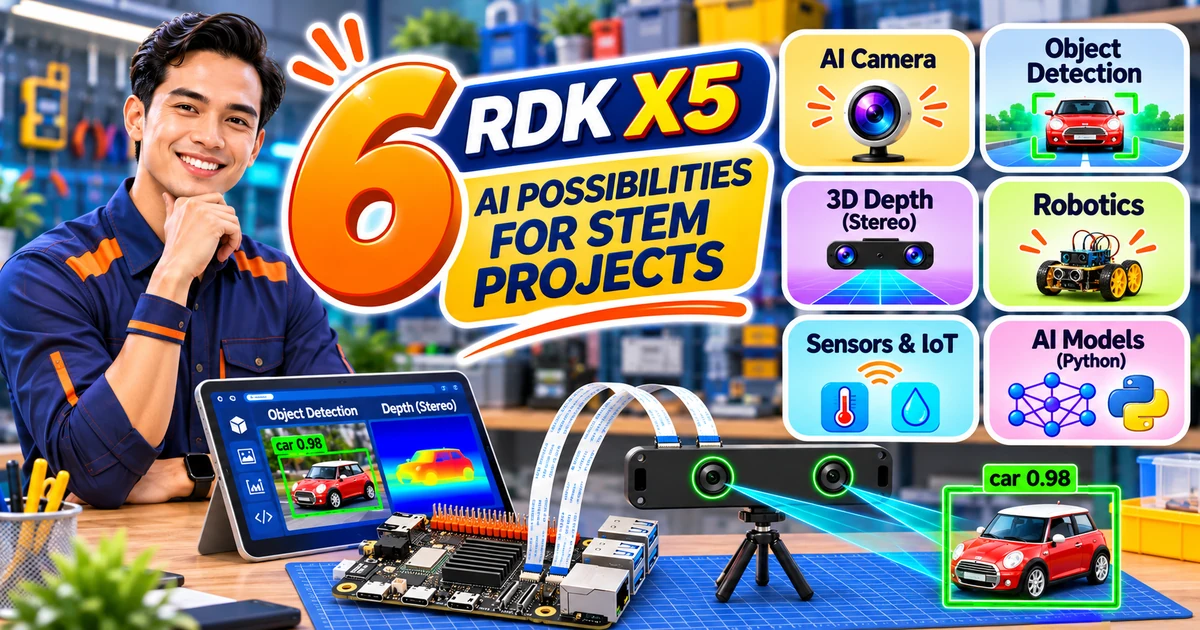
Imagine students building a robot that can recognise objects, estimate how far away obstacles are, or navigate a route using cameras and artificial intelligence (AI).
Not too long ago, projects like these could be quite challenging to introduce in schools because they required specialised hardware and complex processing systems.
Today, AI development boards such as the D-Robotics RDK X5 are making these technologies more accessible for teachers and students to explore.
In an earlier article, I shared how budget considerations influenced my decision to select two RDK AI boards for a robotics project.
This time, I’d like to take a closer look at what the RDK X5 can offer STEM education.
What Is the RDK X5?
The RDK X5 is an embedded computing development board designed for robotics and artificial intelligence applications.
It uses D-Robotics’ Sunrise 5 chip, which includes a dedicated AI accelerator known as the Brain Processing Unit (BPU).
Some of its main specifications include:
- An eight-core Arm Cortex-A55 CPU running at up to 1.5GHz.
- Up to 10 TOPS of AI computing performance (INT8).
- 4GB or 8GB LPDDR4 RAM options.
- Two MIPI CSI camera interfaces.
- Four USB 3.0 ports and Gigabit Ethernet connectivity.
- GPIO interfaces supporting I²C, SPI, UART and PWM.
- Support for Ubuntu-based systems and a robotics development ecosystem.
In simple terms, the RDK X5 allows certain AI processing tasks to run directly on the board rather than sending all data to a cloud server.
This approach is commonly known as Edge AI.
However, a 10 TOPS rating doesn’t mean every AI application will run at the same speed. Actual performance depends on the model, software and configuration.
Let’s explore six educational possibilities.
1. Build a Smart AI Camera
The first possibility is using the RDK X5 as the processing platform for a smart camera system.
With a compatible camera connected, students can create applications that capture images or video and process them using AI models.
Unlike a conventional camera that simply records images, a smart camera system can analyse visual information according to the model being used.
Classroom idea: Students build a smart camera that monitors objects within a controlled testing area and displays the results on a screen.
This activity is a practical introduction to camera input, data processing and output.
At the beginning, teachers can use existing demonstrations or pretrained models before asking students to modify how the system works.
2. Detect and Classify Objects Using Computer Vision
This is one of the most interesting applications of AI in STEM education.
The RDK X5 supports computer vision models through the RDK Model Zoo, including examples of object detection and image classification.
With object detection, a system identifies objects and locates them within an image, often displaying bounding boxes.
Image classification, on the other hand, identifies the category represented by an image.
Classroom idea: Challenge students to develop a prototype for sorting recyclable materials.
A camera captures an image of an object, while the AI model attempts to classify materials such as bottles or cans into predefined categories.
Teachers can use the project to discuss model accuracy, training data and prediction errors.
However, pretrained models may not include every material category required for the project. Some applications will need additional data collection and model training.
3. Estimate Distance and Understand 3D Environments
How does a robot know whether an object is nearby or far away?
One approach is to use stereo cameras, which capture images from two viewpoints to estimate depth.
The RDK X5 supports compatible stereo camera systems, including accessories developed for D-Robotics hardware.
With suitable software, students can explore depth estimation and understand how distance information helps robots perceive their surroundings.
Classroom idea: Build a prototype that triggers a warning when an obstacle gets too close to the camera.
This project can connect Mathematics, Physics, coordinates and distance measurement.
One important consideration: the RDK X5 doesn’t come with built-in stereo cameras. Compatible camera modules, proper installation and software configuration are needed.
4. Develop a Robot That Can Navigate Autonomously
For teachers who mentor school robotics clubs, this is one of the RDK X5’s most promising possibilities.
The platform supports robotics development through ROS 2 and D-Robotics’ TogetheROS.Bot ecosystem.
The manufacturer also provides examples related to SLAM (Simultaneous Localization and Mapping), a technique that allows a robot to build a map while estimating its position.
Classroom idea: Students develop a wheeled robot that follows a route while detecting obstacles.
Start with simulation before moving on to a physical robot.
However, the RDK X5 is not a complete robot. A working project will require additional components such as motors, motor drivers, power sources, sensors and a chassis.
For beginners, autonomous robotics should be introduced gradually, starting with basic movement control.
5. Integrate Sensors and IoT into STEM Projects
Beyond cameras, the RDK X5 also provides interfaces for connecting electronic components.
This makes it possible to combine Internet of Things (IoT) concepts with data processing and AI.
For example, teachers could connect compatible temperature or humidity sensors to develop an environmental monitoring system.
Classroom idea: Students build a monitoring station that records temperature and humidity, then displays the readings on a digital dashboard.
They can use the collected data to investigate environmental changes and create alerts based on predefined conditions.
For a more advanced project, students could introduce suitable AI models to analyse patterns in the data.
It’s important to understand that simply reading sensor values doesn’t automatically make a project AI-powered. AI requires appropriate models and analytical methods.
Teachers must also verify GPIO voltage levels and wiring before connecting sensors.
6. Experiment with AI Models and Python Programming
Another strength of the RDK X5 is its development ecosystem.
D-Robotics provides the RDK Model Zoo, which includes AI model examples and deployment guidance for tasks such as object detection, image classification and segmentation.
For teachers and students who already understand basic Python, these resources provide opportunities to learn how AI models operate on real hardware.
Students can explore preparing input data, running inference and evaluating model results.
Classroom idea: Give students several test images and ask them to compare object detection results under different lighting conditions.
They can record detection accuracy, missed objects and processing times.
This helps students understand an important lesson: AI predictions are not always correct.
For current development work, the rdk_x5 branch of Model Zoo uses the Python hbm_runtime interface and requires a compatible system environment.
Teachers should follow current documentation rather than copying commands from outdated tutorials.
Is the RDK X5 Suitable for Every Student?
In my view, the RDK X5 is particularly suited to advanced STEM projects, robotics clubs and student innovation research.
If students are still learning how to switch on an LED, read a sensor or understand conditional statements, boards such as ESP32 or micro may be more appropriate starting points.
The RDK X5 becomes more relevant when students already understand basic programming and want to build systems involving image processing or local AI inference.
Teachers also need to consider the project’s total cost.
The board itself is only one expense. Cameras, microSD cards, a suitable 5V/5A power supply, sensors, motors and other accessories may be needed.
I haven’t included a fixed Malaysian retail price because the actual cost depends on the hardware configuration, supplier and accessories.
Safety matters too. For AI camera projects, begin with objects and controlled test materials. Avoid collecting students’ faces or personal information unless there is a genuine educational need and appropriate consent and safeguards.
Final Thoughts
The RDK X5 offers many opportunities to introduce students to AI applications that interact with the real world.
From smart cameras to autonomous robotics, this development board can support a range of challenging STEM projects.
However, advanced technology alone doesn’t guarantee better learning.
What matters is how students understand a problem, select sensors, develop algorithms, test AI models and improve their solutions.
For educators ready to take robotics and Edge AI projects further, the RDK X5 is certainly a platform worth exploring.
Start with one small project. There’s no need to build a complicated robot on the first attempt!
— Cikgu Siber
Official References
- D-Robotics. RDK X5 Robot Development Kit — Official Product Specifications.
- D-Robotics. RDK Resource Center — Robotics Development Documentation.
- D-Robotics. RDK Model Zoo — Overview and Supported AI Models.
- D-Robotics. RDK X5 Model Zoo Usage Guide.
- D-Robotics. RDK Stereo Camera Documentation.
- D-Robotics. SLAM Mapping — ROS 2 Robotics Example.